Servers

Create a Private Video Chat Server

 
Connexense video chat servers are created when you connect with a mediastream containing video and audio tracks. Therefore, the first thing to do is "Start Camera & Microphone".
 
Login is not required to start a server and make a call.
Connexense.com needs permission to use your webcam and microphone.

 
 
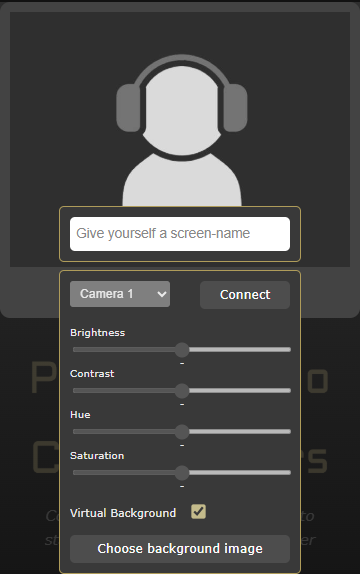
Prepare your media streams to start your server: Select a webcam (or turn it off) from the drop-down, optionally choose an image to replace the background, adjust your audio EQ. Then enter your screen-name and hit Connect. Your microphone is muted at this point, and your webcam can be on or off.
 
 
On Connection, Connexense starts a video chat server identified only to you. Your video and audio are streaming there, but access is exclusively under your control. The camera-control panel closes, your video fills the interface and the chat dialog starts.
 
Server Admin
 
Connecting from the base URL - https://connexense.com makes you the server Administrator and gives you a unique server ID with which you control server access and operations.
 
Connecting from any URL with a server ID ("/?id=.....") means you're joining a call and does not provide administrator controls.
 
Account holders should log in for access to all functions.
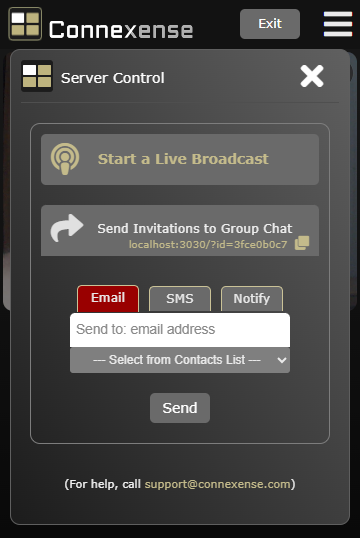
 
The Server Control panel appears - this is where you make calls by sending invitation-messages. (If you're logged-in, your Contacts list makes that easy). The panel presents the Start a Live Broadcast button and if a webinar event is scheduled to start within 2 hours, the Start Webinar button will show too.


Invite others to join you in a video call: the server link is in your system clipboard (you can always copy it again here) - paste and send it via any messaging app, or let Connexense send email, SMS or push-notifications for you.
 
SMS works only on Android mobile devices, and push-notifications, of course, require permissions on both ends. Since everyone has an email address, that is the default method.
 
If the callee is already logged in and connected, an internal notification is sent instead.
 
All Live Broadcasts are public and appear on connexense.com/live .
 
See also:
 
Enjoy!